

Business dashboards, built around your decisions.
The numbers you need, brought together from the systems you already use. One clear view on a laptop, phone or wall screen.
A dashboard that is live today.
Rooftop is live at a Melbourne dealership, covering sales, service, parts and finance, with the numbers pulled from the systems it already runs.
Demonstration data, made-up names
The dealership implementation
A dealer management system, a sales log, phone call records, trade-in valuations and website leads, brought together for sales, service, parts and finance.
Live at a Melbourne new-car dealership
Read the projectRooftop, the software behind it
Every department on one screen, and the same views rotating on the showroom and workshop TVs.
Figures shown are illustrative samples
Explore RooftopMore examples and screen sizes
On laptops, phones and wall TVs.
Every department on one screen, and the same views rotating on the showroom and workshop TVs.
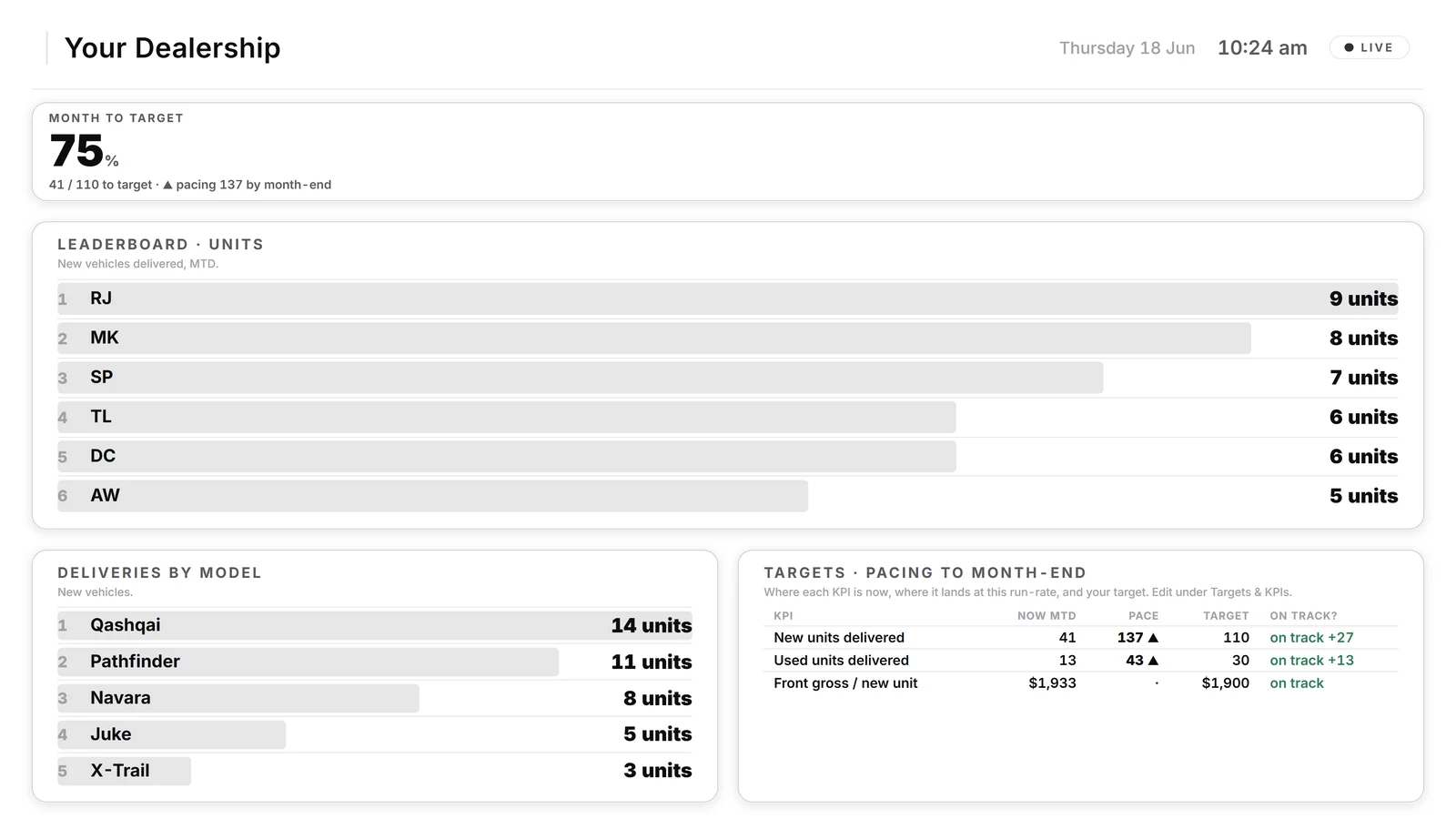
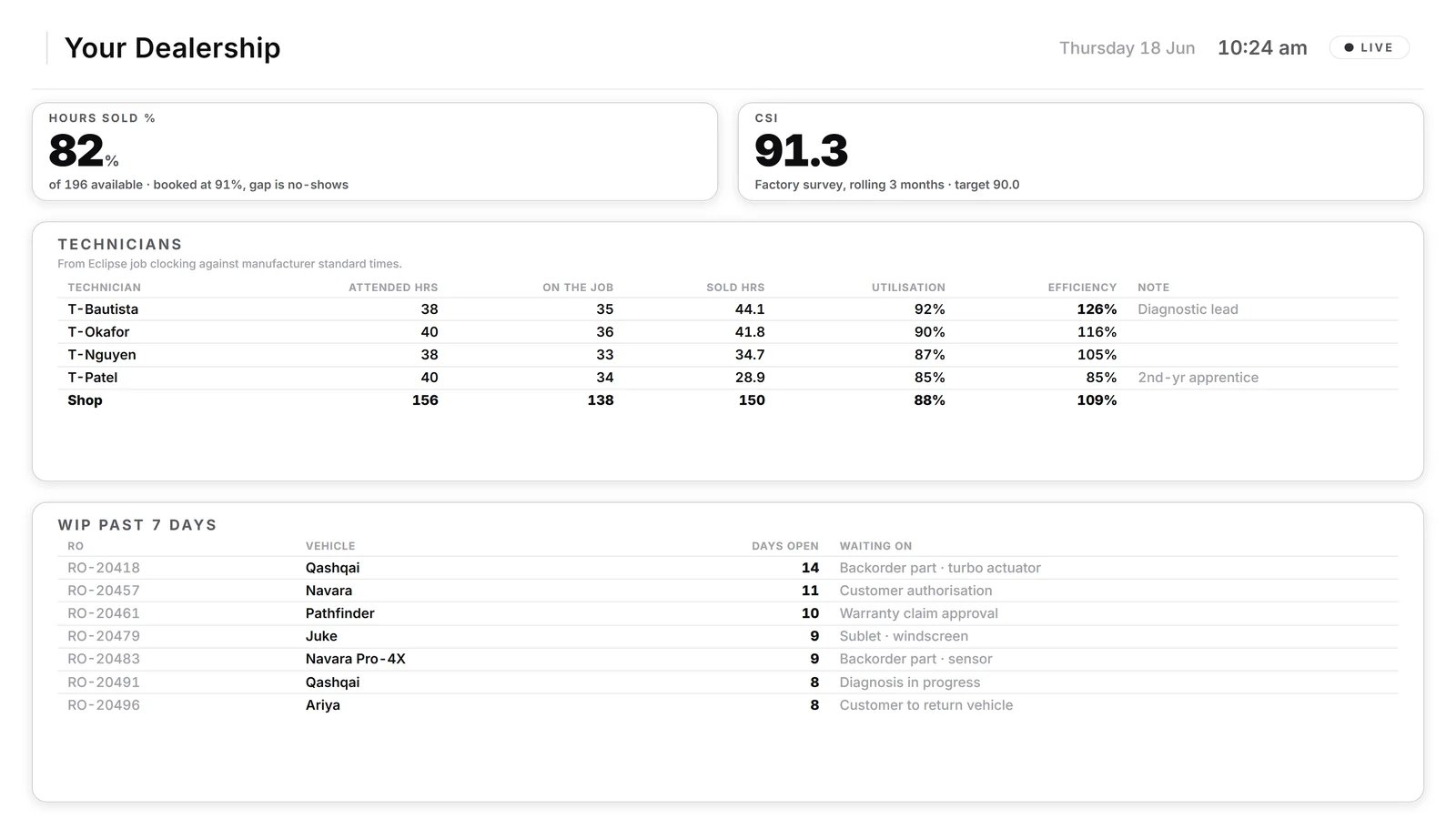
Demonstration data, made-up names
Start with the decision, then draw the chart.
A dashboard is only useful if people trust it. Most of the work is agreeing what each number means and where it comes from.
These renditions illustrate the dashboard layout. Data sources, update timing and review states are agreed for your business.
- The decision
- Agree which questions the dashboard needs to answer.
- The last good load
- Keep the update status beside the figures.
- The definition
- Agree what each number counts and check it against its source.
Common questions
How much does a dashboard cost?
It depends on the job. You get a written scope and a fixed price before any development starts, and nothing is built until you agree it.
Then build, test, release and handover. See how custom work runs
Which systems can you pull data from?
It depends on the access each system allows. We check that for your systems before we quote, and tell you plainly what we can and cannot connect.
Can it run on a TV on the wall?
Yes. Rooftop's views rotate on showroom and workshop TVs at a Melbourne dealership today.
Are the figures on this site real?
No. Product screens on this site use illustrative sample data.
Do you only build dashboards for dealerships?
No. Rooftop is the one that is live, so it is the one we can show you. A custom dashboard starts from your own systems and your own questions.
A custom dashboard, or the reports you already have?
Start with the reports your systems already produce. A custom dashboard earns its place when the numbers live in more than one system, when someone spends hours every week or month building a report by hand, or when the whole team needs the same figures on a shared screen.
Agree freshness and missing-data behaviour
A dashboard is only as current as its sources. Specify how often each can update, how its last successful update will appear, and what the screen shows when information is missing or late. Our guide on how to brief a dashboard has a worksheet.
What we need from you
The decisions the dashboard should support, the systems that hold the data, and the access they allow. We confirm each connection before we promise it.

Tell us which numbers you chase every week.
A rough description is enough.